Affinity Sketches1.0.2
Publisher Description
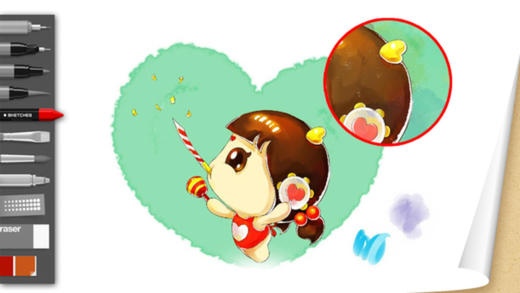
Use professional-grade tools and brushes to create doodles, quick sketches or artwork on-the-go.
Features:
Full Screen work space with support for any device orientation
Canvas size:
Screen resolution canvas
Multi-Touch Interface:
Two finger pan & zoom navigation with 2500% zoom
Three finger tap for controls
Three finger swipe gestures for quick access
High Quality Brushes and Tools:
Professional-grade paint engine delivers smooth and precise brush strokes
15 preset brushes, including pencils, pens, markers and Fill Tool
20 brush packs
Draw styles for creating straight lines, rectangles, and circles
Dynamic symmetric drawing
Layers:
3 Layers allowing easy build up of a drawing
Import layers from Photo Library
Duplicate, Merge and Reorder Layers
Move, scale, and rotate layers interactively using Multi-Touch
Toggle visibility and adjust Layer Opacity
Text:
Create text with a variety of fonts, colors, sizes and placement.
Colors:
Color Wheel with HSB and RBG color space
Eye-dropper color selection
Gallery:
Store and view work in progress
Export to Photo Library
Browse images in full-screen mode
Pressure Stylus support
Discover even more realistic brushes while Styluses.
We support Apple, Wacom and Adonit Styluses.
A Unique feeling : Each stroke behaves vividly and truly like brush on paper, adapting the pressure, angle, and width to your movements. It's an effect you have to see to believe.
A unique UI with a touch of Zen : Tools are hidden away as you create and the bare minimum buttons are shown to make for a very clean canvas..
Requires iOS 7.0 or later. Compatible with iPhone, iPad, and iPod touch.
About Affinity Sketches
The company that develops Affinity Sketches is Sergey Shekyan. The latest version released by its developer is 1.0.2. This app was rated by 1 users of our site and has an average rating of 4.0.
To install Affinity Sketches on your iOS device, just click the green Continue To App button above to start the installation process. The app is listed on our website since 2016-10-06 and was downloaded 116 times. We have already checked if the download link is safe, however for your own protection we recommend that you scan the downloaded app with your antivirus. Your antivirus may detect the Affinity Sketches as malware if the download link is broken.
How to install Affinity Sketches on your iOS device:
- Click on the Continue To App button on our website. This will redirect you to the App Store.
- Once the Affinity Sketches is shown in the iTunes listing of your iOS device, you can start its download and installation. Tap on the GET button to the right of the app to start downloading it.
- If you are not logged-in the iOS appstore app, you'll be prompted for your your Apple ID and/or password.
- After Affinity Sketches is downloaded, you'll see an INSTALL button to the right. Tap on it to start the actual installation of the iOS app.
- Once installation is finished you can tap on the OPEN button to start it. Its icon will also be added to your device home screen.
